How to help translate
If you are interested in contributing translations to Way to Go, you're in the right place!
Prerequisites
In order to contribute translations, you'll need to have an account on GitLab.
After you do this, you can request access in the way-to-go
group.
Request access
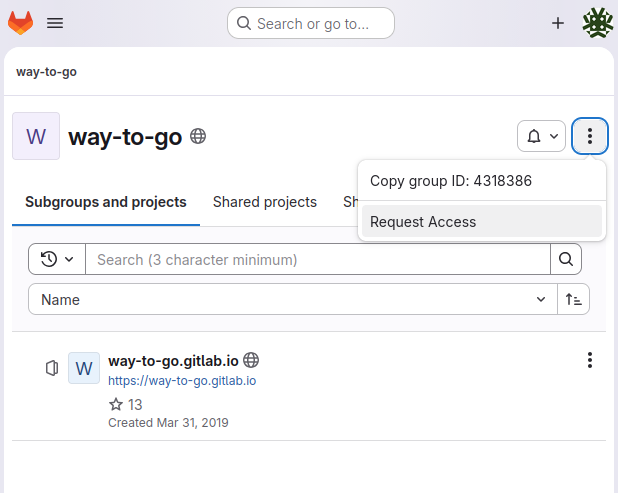
Adding a new language
If your language is not supported, open an issue on the project and provide the following information.
- Desired language
- 2-letter locale code
- Translations for the following:
- Language name (e.g. "日本語" instead of Japanese) - this will display on the language picker.
- Site title: "Way to Go"
- Navigation: "Rules", "Techniques", "Progression", "Preparation"
- (Optional) How you want to be credited

Once you have done this, I will add the language to the picker. From there, you can add translations as you see fit.
Initially, all the content will be in English. You'll need to add a translation page-by-page.
Adding a translation
In order to translate any given page, first navigate to it, then hit the edit button.
Edit page

From there, you'll want to make your edit and create a merge request.
Create merge request
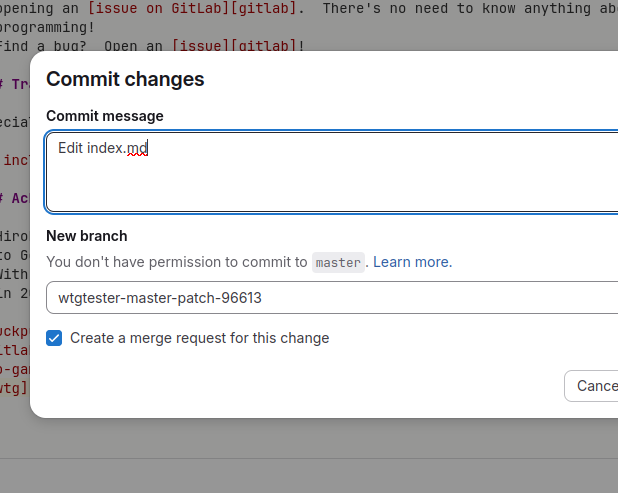
Be sure to actually create the merge request and add a useful title and description.
Actually create merge request

Guidelines
- Do translate subtitles at the top of the page.
--- subtitle: TRANSLATE THIS --- - Do not translate the following:
- Any emojis since they are used to reference board positions.
- For example,
:material-triangle-outline:which renders to .
- For example,
- Anything that is prefixed
{% include-markdownsince these are used to render diagrams.
- Any emojis since they are used to reference board positions.